Gaming Lab
Choose a conservative starting profile. Review Game Mode, captures and visual effects before applying supported settings.
 RECOVERY'S SHRINEUTILITYUser Center
 Your hardware. Your settings. Your starting point.
A Windows utility built around the way you play.
Not another one-click promise. Start with your hardware, understand each change, and keep a way back.
Choose a conservative starting profile. Review Game Mode, captures and visual effects before applying supported settings.
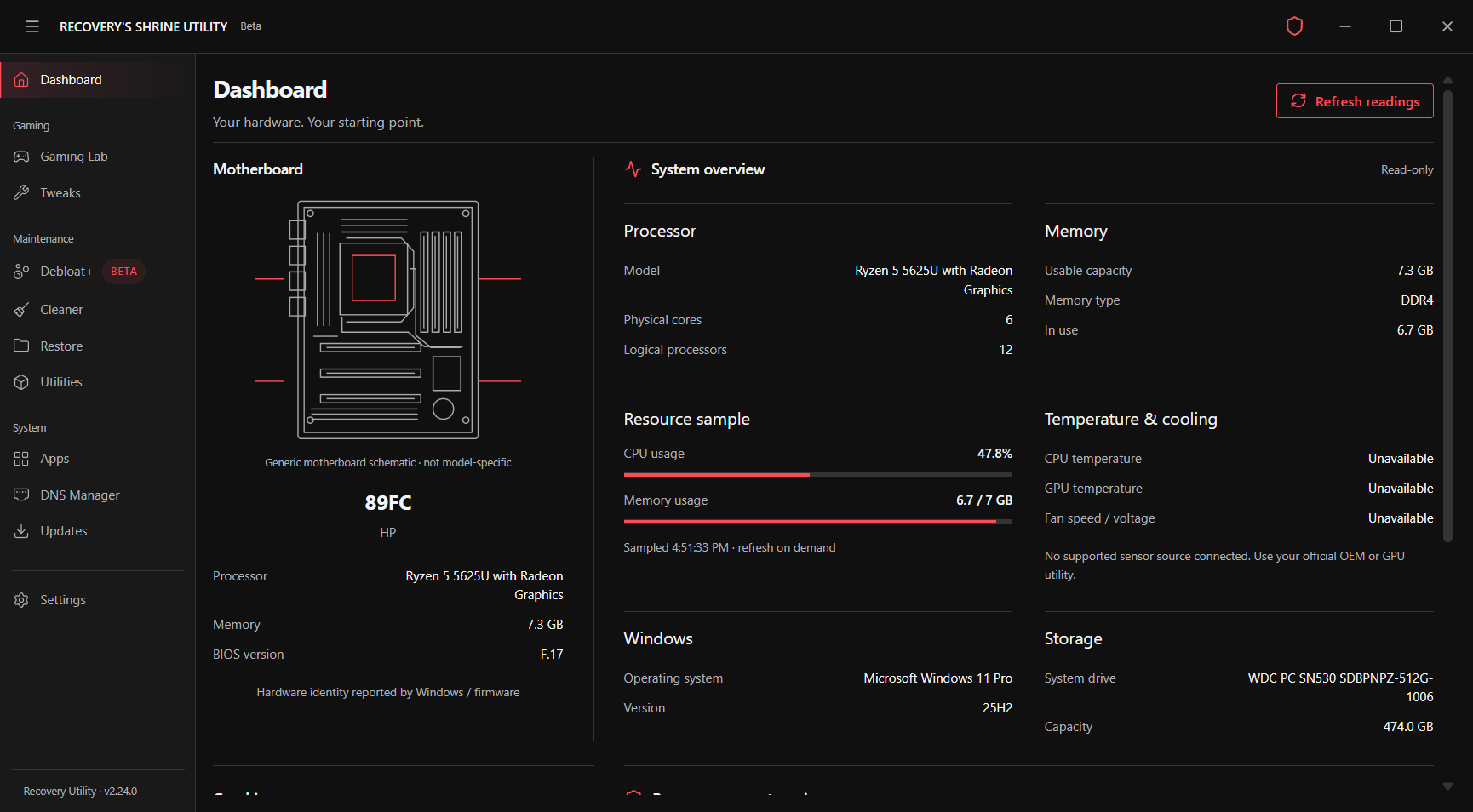
See your system identity and resource readings. Missing sensors stay unavailable—never replaced with invented numbers.
Review cleanup, installed apps, DNS and Windows utilities. Advanced tools remain separate from conservative gaming profiles.
Back up supported settings and compare your own game measurements. Restore reviewed Gaming Lab changes when needed.
Scan → Review → Back up → Apply → Measure
Performance depends on your hardware, cooling, drivers and games. No universal FPS gains. Gaming Lab restore does not reverse changes made in external overclocking tools.
One account for the website and the Windows utility. Manage access here, download your installer, then sign in after the startup screen.
Windows x64 · Account required
1 week — ₱300 · 1 month — ₱500 · Lifetime — ₱1,800. 1 week is 7 days; 1 month is one calendar month. Lifetime has no scheduled expiry. Create an account, arrange payment directly with the owner through GCash or bank transfer, and wait for approval before downloading. There is no online checkout.
Create your account Already have access? Sign inConnect with the community on Discord for support and questions about access. Confirm payment instructions with the owner before sending money. Never share your password or verification codes.
 Join our Discord
 Prefer your phone? Scan the supplied community QR code, or use the link above.

The utility is intended for NVIDIA, AMD and Intel systems, including integrated and hybrid graphics. Available guidance depends on detected hardware; vendor-specific tuning uses official external tools.
No. Use repeatable measurements in the games you play. Results vary, and a change may offer no improvement.
Create an account in User Center. Once access is activated, your download becomes available there. Use the same account in the desktop utility. The owner approves access after confirming payment. Public hosting is not live yet.
It is a test build. The installer is unsigned, and full installation, upgrade, uninstall and system-change validation remain outstanding. Back up your system before testing maintenance actions.
This independent project derives from Sparkle and retains GPL-3.0 licensing. Paid distribution does not remove your GPL rights. A corresponding source release must accompany public distribution.